If your website has outgrown cheap shared hosting, you have probably hit the Cloudways wall of opinions. Developers love the flexibility. Beginners find it intimidating. And everyone argues about whether the markup over raw cloud servers is fair.

Cloudways is a managed cloud hosting platform serving 100,000+ businesses with simplified WordPress, Magento, Laravel, and PHP hosting on top cloud providers including DigitalOcean, Google Cloud, and AWS. Features include autoscaling, 24/7 support, 99.99% uptime, and 1-click operations.
Pros
- True autoscaling automatically handles traffic spikes without manual server management or downtime.
- Multiple cloud options choose between DigitalOcean, Google Cloud, AWS, Vultr, and Linode for flexibility.
- 90-second support response time with 96% customer satisfaction and 24/7 expert support.
- Excellent performance with built-in advanced caching, CDN, and optimized stacks delivering 200 to 300% speed improvements.
- Developer-friendly offering WordPress, Magento, Laravel, and custom PHP applications with simple 1-click deployments.
Cons
- Steeper learning curve compared to basic shared hosting, requiring more technical understanding.
- Premium pricing higher than budget shared hosting options, though competitive for managed cloud.
The truth is somewhere in between, and in 2026 it matters more than ever, because Cloudways is now owned by DigitalOcean, runs two very different product lines, and still confuses a lot of buyers about what they are actually paying for.
I tested the platform, dug into the real pricing including the add ons, and compared it against SiteGround, Kinsta, WP Engine, and just renting a raw server. This Cloudways review gives you the complete picture.
Cloudways at a Glance: Quick Cloudways Review Overview
A concise snapshot of Cloudways’s core features, pricing structure, and platform strengths for fast understanding in this comprehensive Cloudways review.
Item | Details |
What it is | Managed cloud hosting platform |
Founded | 2011, Malta |
Founders | Aaqib Gadit, Pere Hospital, Uzair Gadit, Umair Gadit |
Owner | DigitalOcean (acquired 2022, $350 million) |
Cloud providers | DigitalOcean, Vultr, Linode, AWS, Google Cloud |
Starting price | $11 per month |
Billing | Hourly pay as you go, no contracts |
Free trial | 3 days, no credit card |
Customers at acquisition | 72,000 plus, hosting 570,000 plus websites |
Control panel | Custom, no cPanel |
Best for | WordPress developers, agencies, growing businesses |
What Is Cloudways and Who Is It For?
Cloudways is not a hosting company in the traditional sense. It does not own servers. Instead, it is a management layer on top of five major cloud providers.
You pick DigitalOcean, Vultr, Linode, AWS, or Google Cloud, and Cloudways handles the server setup, security patching, caching, backups, and monitoring, while you manage your websites through its custom dashboard.
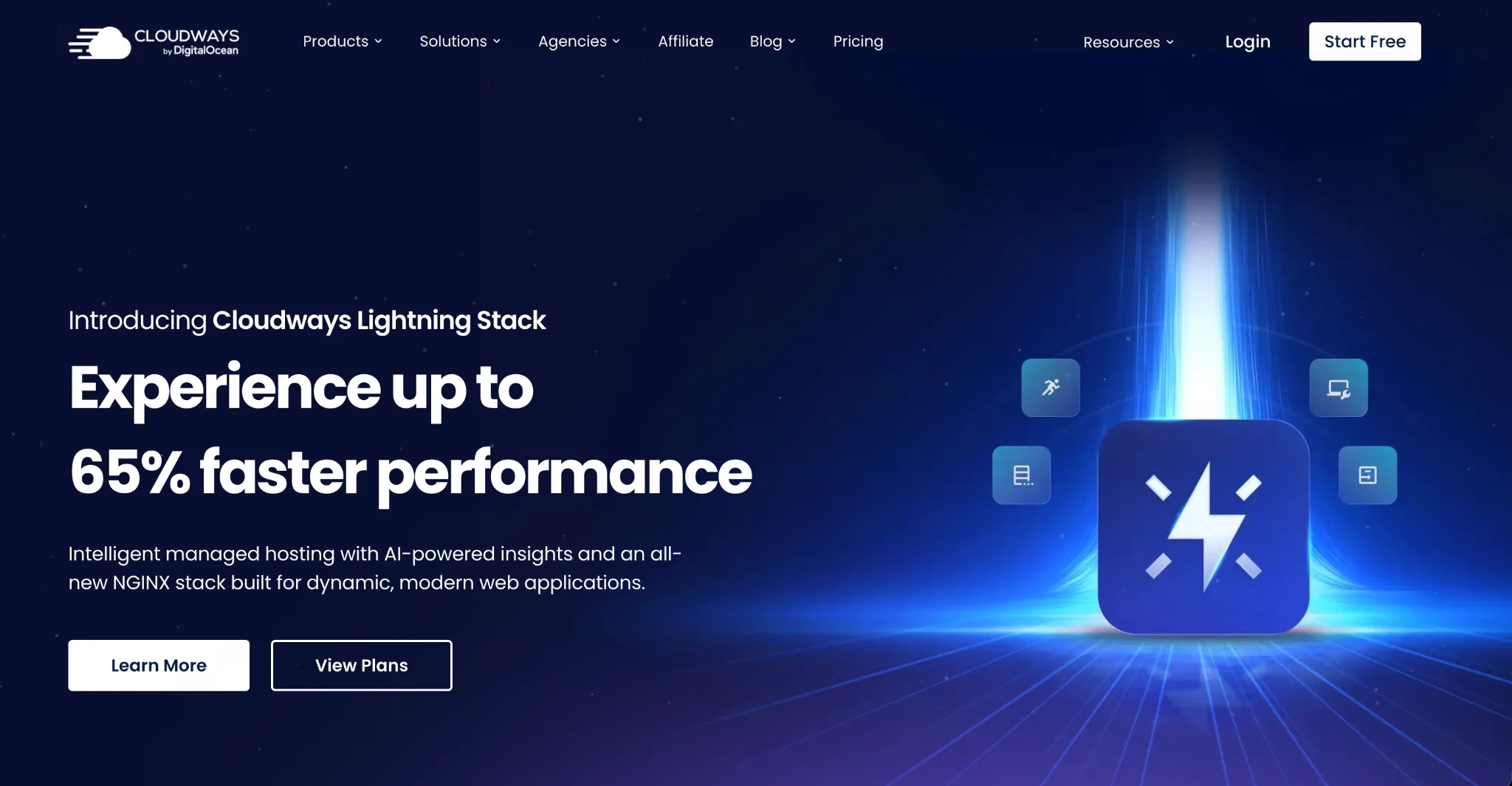
The pitch is simple. Get cloud server performance without learning Linux system administration. Pay by the hour, scale up for traffic spikes, scale back down, and never sign a contract.
Cloudways is best for WordPress developers, freelancers, and agencies hosting multiple client sites. It is a harder sell for absolute beginners who want one click everything, and for enterprises that need deep infrastructure control.
The Big News: The DigitalOcean Acquisition and the Autonomous Bet
Cloudways was founded in Malta in 2011 and grew steadily as a bootstrapped friendly company, reaching over 72,000 customers and 570,000 websites by 2022.
In August 2022, DigitalOcean acquired it for $350 million paid over 30 months, a valuation of roughly 6.7 times Cloudways’ expected $52 million annual revenue. The two had been partners since 2014, with DigitalOcean already powering about half of Cloudways customers.
Many reviews predicted decline after the acquisition. Six years later, the reality is calmer. Long term customers report that almost nothing changed: same dashboard, same providers, same pricing for existing setups.
There was a brief period when some non DigitalOcean providers like Vultr were paused for new signups, which caused panic in reviews, but all five providers are fully available again today.
The big strategic move since the acquisition is Cloudways Autonomous, a separate serverless WordPress product launched to compete with managed hosts like WP Engine and Kinsta.
Autonomous runs on Kubernetes with true autoscaling and bundles Cloudflare Enterprise CDN and Redis based Object Cache Pro, starting at $99 per month. It is a very different product from the classic Flexible servers, and confusing the two is the most common buyer mistake.
Here is my honest take. DigitalOcean ownership gives Cloudways stability and infrastructure it never had as an independent company. The Flexible product remains the sweet spot it always was.
Autonomous is promising but still young, and independent reports of downtime and rough edges mean I would not bet a critical business site on it yet.
Cloudways by the Numbers: Stats That Matter in 2026
Acquisition value: $350 million, roughly 6.7 times expected 2022 revenue of $52 million.
Scale at acquisition: 72,000 plus customers and 570,000 plus websites.
Provider choice: 5 cloud providers with dozens of data center locations across North America, Europe, Asia, Australia, South America, and the Middle East.
Price markup: independent analysis estimates Cloudways charges roughly 220 percent more than renting the equivalent server directly from DigitalOcean or Vultr. You are paying for the management layer, not the compute.
Free trial: 3 days with no credit card required.
Uptime: 99.99 percent SLA cited in official documentation, and years of independent testing show it generally delivers.
Support baseline: 24/7 live chat with documented 15 minute per session limits at the base tier, after which tickets are created with 3 to 12 hour response targets.
Official support metrics: around 90 second average chat response and 96 percent customer satisfaction, though independent reports on support consistency remain mixed.
Product split: Flexible for control, Autonomous for hands off autoscaling starting at $99 per month.
Cloudways Pricing in 2026: The Full Picture
Cloudways bills hourly per server, charged monthly. No contracts, no renewal price hikes, because there is nothing to renew. That is a genuine advantage over traditional hosting.
Cloudways Flexible Pricing
DigitalOcean: starts at $11 per month for 1 GB RAM, 1 vCPU, 25 GB storage, 1 TB bandwidth. The most popular step up is 2 GB at $22 per month. Plans scale to $342 per month for 128 GB RAM and 24 vCPUs.
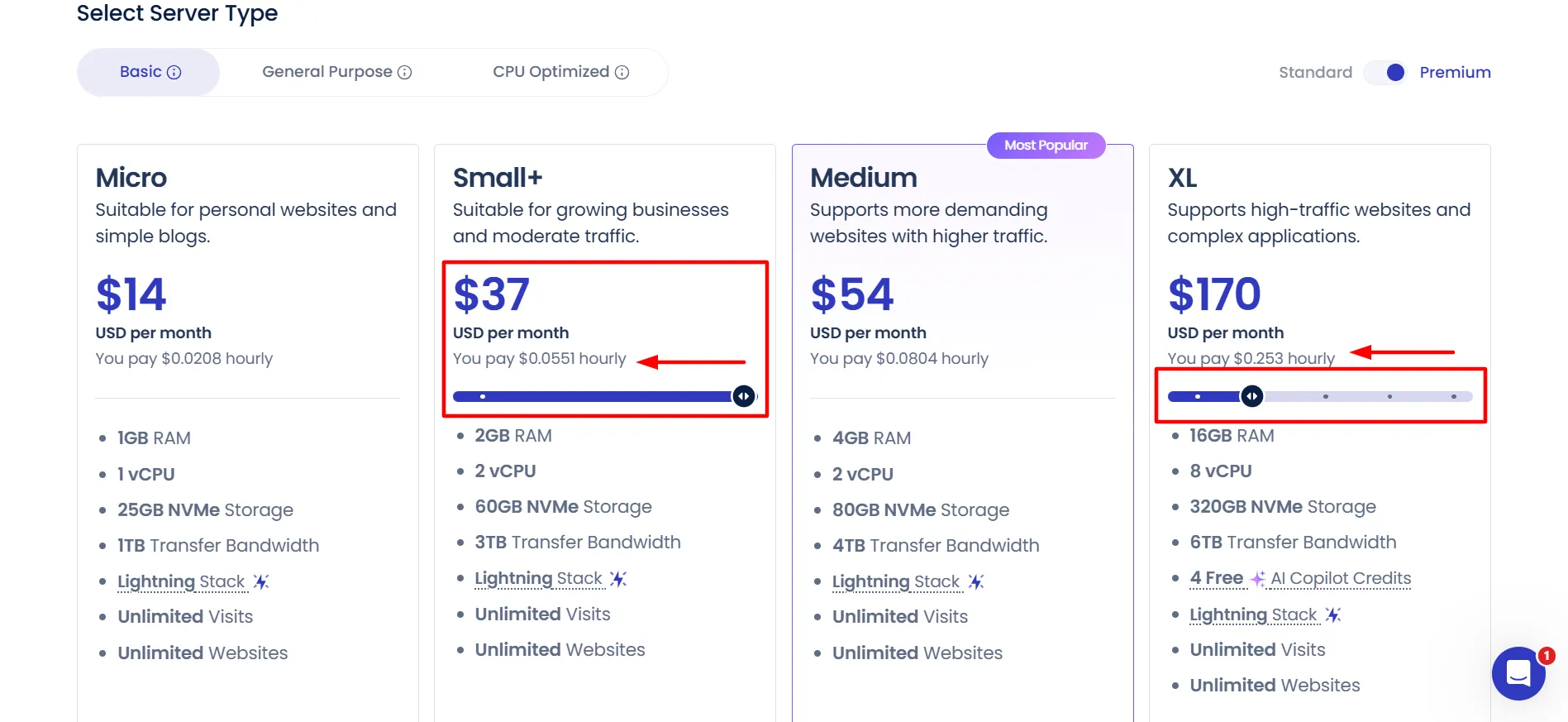
Vultr: starts around $11 to $13 per month for comparable entry specs.
Linode: starts around $12 to $14 per month for comparable entry specs.
AWS: starts around $36 to $38 per month for small instances, with pricing varying heavily by region.
Google Cloud: starts around $33 to $37 per month for small instances.
Every Flexible server includes unlimited websites, free SSL, free migration, automated backups, staging environments, SSH and SFTP access, team management, and the Breeze caching plugin plus server level Varnish.
Cloudways Autonomous Pricing
Growth: $99 per month. One website, baseline autoscaling server, 150 GB bandwidth, 20 GB disk, Cloudflare Enterprise CDN, Redis, and Object Cache Pro with Relay included.
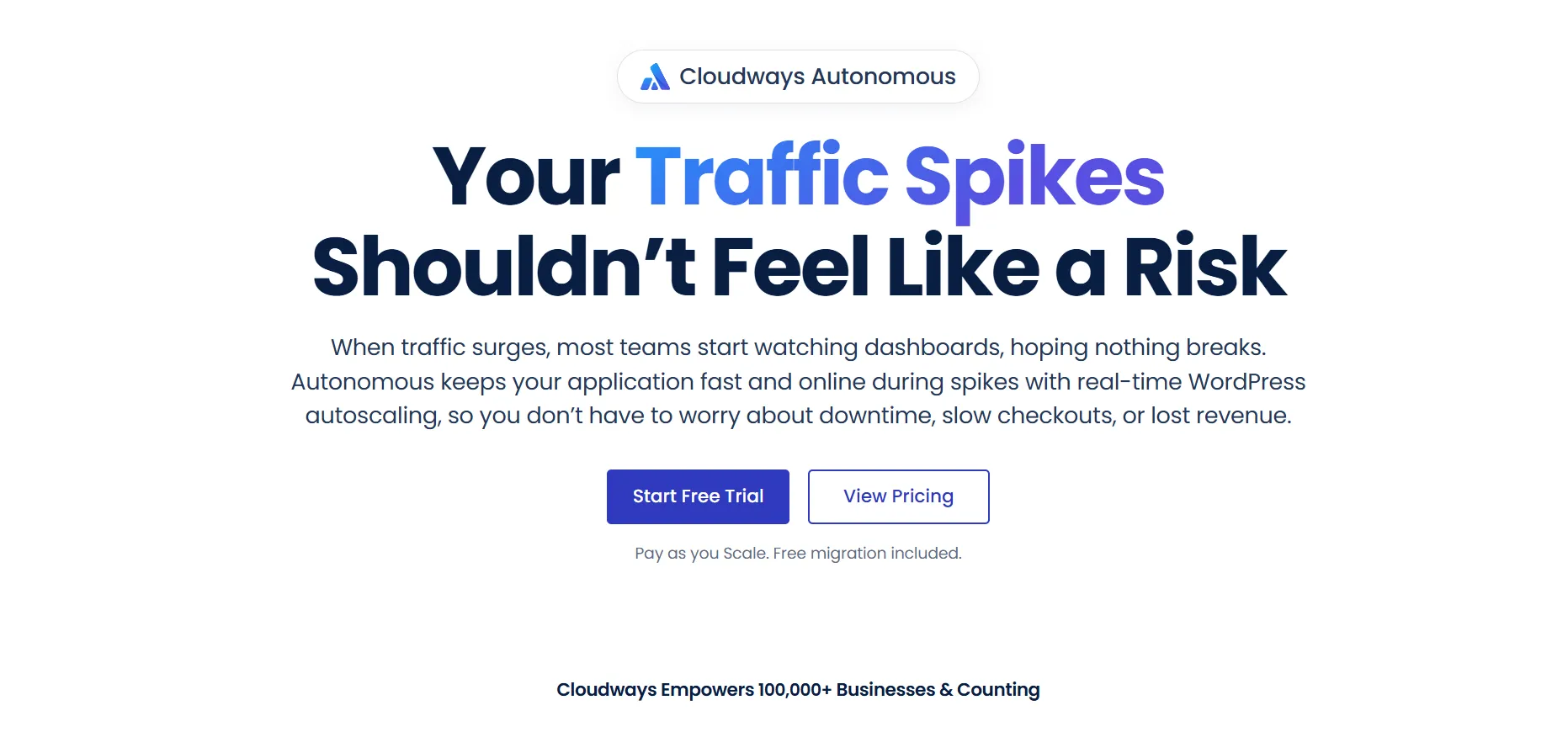
Scale: $199 per month with two baseline servers and higher ceilings.
Plus: $399 per month with three baseline servers.Overage charges apply beyond included baselines: roughly $1 per GB of disk, $0.04 per GB of bandwidth, and hourly autoscaling charges beyond baseline.
Add Ons and Hidden Costs
This is the section most Cloudways reviews blur, so pay attention.
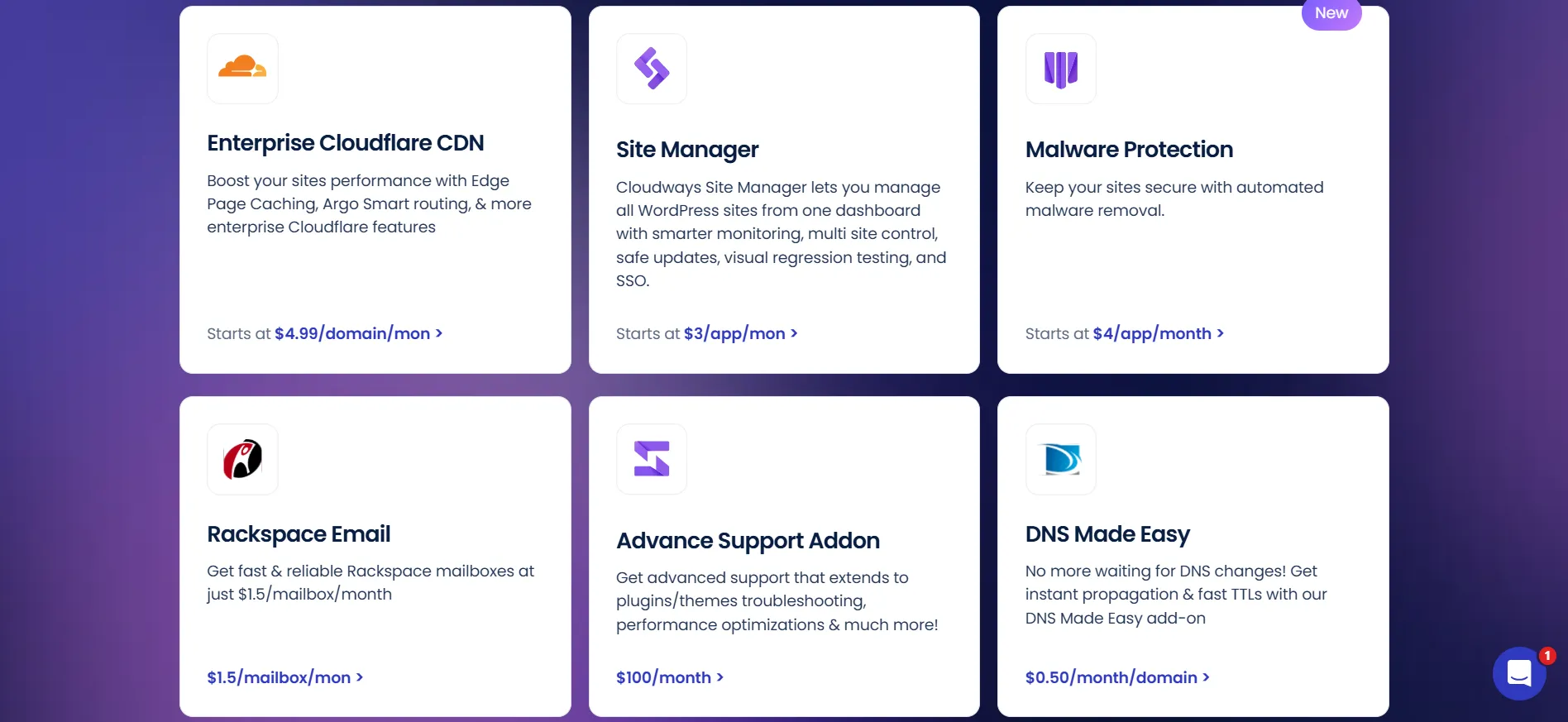
Cloudflare Enterprise CDN: $4.99 per domain per month on Flexible. Free on Autonomous.
Malware protection: $4 per app per month.
Email hosting: $1 per mailbox per month via Rackspace.
Offsite backup storage: $0.033 per GB.
DNS Made Easy: $0.50 per domain per month.
Advanced support add on: around $100 per month, sometimes discounted.
Bandwidth overage: roughly $0.02 per GB.
The key insight: on Flexible, you are buying a management layer plus infrastructure, but the CDN, security, and email are extras.
On Autonomous, the premium bundle is included but the base price is far higher. Neither option is the cheapest at what it does, so know which trade you are making.
Cloudways Features Explained in Detail: Complete Cloudways Review Breakdown
Explore every core feature and tool included with Cloudways managed hosting in this detailed Cloudways review covering server management, security, performance, and developer tools.
1. Choice of Five Cloud Providers
No competitor matches this. Want cheap and cheerful, pick DigitalOcean. Want global edge locations, pick Vultr or AWS.
Already invested in Google infrastructure, pick GCP. You can even mix providers under one account and switch without changing your workflow.
2. The Caching Stack
Every server gets layered caching: Varnish at the server level, the Breeze plugin at the application level, and optional Redis object caching. Object Cache Pro, which normally costs $95 per month, is free on Flexible servers of 2 GB RAM and above.
Real world result: a $22 DigitalOcean server comfortably outperforms typical $30 shared hosting plans under load.
3. One Click Staging
Clone any application to a staging environment with one click, test changes, and push to live. For agencies and careful site owners, this feature alone justifies the platform.
4. Free Migrations
The Cloudways Migrator plugin moves WordPress sites for free. Independent tests report clean migrations completing in about 20 minutes. Leaving another host has never been cheaper.
5. Team and Agency Management
Granular permissions let you give clients or team members access to specific servers and applications without exposing billing. Agencies consistently rate this as one of the platform’s quiet strengths.
6. Vertical Scaling
Boost RAM and CPU on demand for a traffic spike, then scale back down. Because billing is hourly, you pay only for what you used. This is the single biggest practical advantage over contract locked hosts.
7. The Dashboard
Modern, powerful, and not cPanel. There is a real learning curve for users coming from traditional hosting, and some reviewers call it feature rich but not intuitive. Plan for a few hours of exploration, or use the AI Copilot that now ships with the platform.
8. What Cloudways Does Not Include
No domain registration. No built in email hosting. No file manager in the dashboard, so file work happens via SSH, SFTP, or plugins. Support chats at the base tier are time limited. These gaps are deliberate trade offs, not oversights, but they surprise beginners.
Pros and Cons: Cloudways Review
Pros
- Genuine cloud performance at shared hosting prices, starting at $11.
- Hourly pay as you go billing with zero contracts and zero renewal shocks.
- Five cloud providers under one dashboard.
- Excellent caching stack including free Object Cache Pro on 2 GB servers and above.
- One click staging and free unlimited migrations.
Cons
- Roughly 220 percent markup over renting equivalent servers directly.
- No domain registration, no built in email, no file manager.
Cloudways vs Competitors: Complete 2026 Cloudways Review Comparison
See how Cloudways stacks up against WP Engine, Kinsta, SiteGround, and other managed cloud hosting providers in this Cloudways review, comparing features, pricing, and overall value.
Cloudways vs SiteGround
SiteGround is the beginner friendly choice with guided setup, daily backups on all plans, and a cPanel style panel.
What SiteGround comparisons leave out: renewal prices roughly double after year one, storage is limited, and you lose the flexibility of choosing your infrastructure. For beginners, SiteGround. For everyone past the beginner stage, Cloudways.
Cloudways vs Kinsta
Kinsta is premium managed WordPress hosting with everything bundled: CDN, backups, SLA, and excellent support. What Kinsta’s positioning leaves out: it costs far more per site, runs only on Google Cloud, and charges per WordPress install.
Cloudways gives developers more control and agencies better economics. Kinsta gives businesses a hands off premium experience. Different buyers entirely.
Cloudways vs WP Engine
WP Engine is the enterprise WordPress host with strong tooling and a big brand. What WP Engine comparisons leave out: aggressive per site pricing, plugin restrictions, and pricing that climbs fast.
Cloudways offers comparable performance at a fraction of the cost for technically comfortable users.
Cloudways vs Raw DigitalOcean
Renting directly from DigitalOcean is the cheapest path to the same hardware, with full root access. What the raw server comparisons leave out: you become the sysadmin.
Security patches, uptime, backups, and performance tuning are on you. Cloudways exists precisely because most people do not want that job. Pay the markup or learn Linux, those are the two honest options.
Cloudways vs Hostinger
Hostinger’s VPS plans start under $6 per month and include its own management layer and AI assistant.
What Hostinger comparisons leave out: Cloudways offers far more provider choice, better agency tooling, and a more mature platform. Hostinger VPS wins on raw price for simple single site setups.
Quick Comparison Table: Cloudways Review vs Competitors
Compare Cloudways against WP Engine, Kinsta, SiteGround, and other managed hosting providers in this Cloudways review table showing pricing, features, and key differences at a glance.
Factor | Cloudways | SiteGround | Kinsta | WP Engine | Raw DigitalOcean |
Entry price | $11/mo | ~$3 intro | $35/mo | $20/mo | $4/mo |
Billing | Hourly | Annual contract | Annual | Annual | Hourly |
Provider choice | 5 providers | Own infra | Google Cloud | Own infra | DigitalOcean only |
Control level | High | Low | Medium | Low | Full root |
Target user | Developers, agencies | Beginners | Businesses | Enterprises | Sysadmins |
Who Should Use Cloudways in 2026?
Cloudways is worth it if:
You run WordPress sites with meaningful traffic, roughly 10,000 visitors per month and up.
You are an agency or freelancer managing multiple client sites.
You want cloud performance without becoming a Linux administrator.
You value flexibility over bundled convenience.
Cloudways is probably not for you if:
You are launching your first website. Start with Hostinger or SiteGround instead.
You need domains, email, and hosting under one roof.
You want total infrastructure control. Rent a raw VPS.
Your site is mission critical and you want battle tested autoscaling today.
When to Switch From Shared Hosting to Cloudways
One of the most useful things a Cloudways review can give you is a clear trigger point. Stay on shared hosting until one of these happens. First, recurring resource limit errors, meaning your site throws 503 errors during traffic spikes.
If that happens weekly, shared hosting has hit its ceiling. Second, a server response time consistently above 600 milliseconds in testing tools. A well configured Cloudways server typically responds in under 300 milliseconds for cached pages.
Third, WooCommerce checkout slowdowns, because uncached PHP processes are exactly where shared hosting chokes. Fourth, when you run three or more client sites, since consolidating them on one $22 Cloudways server beats paying for three shared accounts while giving each site better isolation.
Until one of those triggers fires, cheap shared hosting is genuinely the right tool.
Cloudways for Agencies: The Economics
Agencies are Cloudways’ core audience, and the math explains why. Billing is per server, not per site, so one $42 server hosting ten client sites costs $4.20 per site per month.
Add granular team permissions, client level access without billing exposure, free staging for testing changes safely, and free migrations for onboarding new clients, and the platform effectively becomes a hosting business in a box.
Many freelancers resell Cloudways servers to clients at retail hosting rates, a margin business the platform quietly encourages. Competitors like Kinsta and WP Engine bill per WordPress install, which makes the same agency model two to five times more expensive.
If you manage client websites professionally, this section alone probably settles your decision.
Cloudways Alternatives Summary
If this review left you unsure, here is the short path. Choose SiteGround or Hostinger if you want the easiest possible start. Choose Kinsta if you want a premium all inclusive experience and hate server settings.
Choose WP Engine if your enterprise procurement team demands a brand name. Choose raw DigitalOcean, Vultr, or Linode if you enjoy Linux and want the lowest price.
Choose Gridpane or SpinupWP if you want a cheaper management layer and are comfortable with more DIY. Cloudways sits deliberately in the center of all of these, which is exactly why so many sites end up here after outgrowing everything cheaper.
The Refund Policy, Explained
One final practical note. Because Cloudways bills hourly, there is no traditional money back guarantee. Instead, you can request a refund of unused funds you added to your account, but you must request it within 3 months of adding them.
Combined with the 3 day free trial that needs no credit card, the practical advice is simple: never add large funds during your trial week. Test with a small balance, confirm the platform fits your workflow, and only then commit real money.
This quirk catches a surprising number of new customers who assume hosting refunds work the same way everywhere.
FAQs: Cloudways Review
Flexible starts at $11 per month on DigitalOcean. Autonomous starts at $99 per month. Both bill hourly with no contracts.
Yes, 3 days with no credit card required.
DigitalOcean acquired Cloudways in August 2022 for $350 million.
No. Email is a $1 per mailbox per month add on, or use Google Workspace or Zoho.
Cloudflare Enterprise is included on Autonomous and costs $4.99 per domain per month on Flexible.
It works, but beginners are usually happier with SiteGround or Hostinger. Cloudways shines once you have outgrown shared hosting.
Yes. Cloudways bills per server, not per site, so unlimited applications per server is one of its biggest advantages.
Quick Links:
Is Cloudways Worth It? My Final Verdict
Cloudways remains the best middle ground in hosting. It gives you genuine dedicated cloud performance at $11 to $50 per month, with the flexibility to scale and switch providers that no contract host matches. The DigitalOcean acquisition settled into a non event for customers, which is the best possible outcome.
The markup over raw servers is real, roughly 220 percent, but you are buying time, safety, and a dashboard that saves hours every month. For most developers and agencies, that trade is worth it. The gaps, no email, no domains, no file manager, are the price of focus.
My recommendation: start a free 3 day trial, deploy a real site on a $22 DigitalOcean server, and test your actual workload. If the dashboard feels comfortable within a week, you have found your host. If it feels foreign, save yourself the learning curve and pick a more guided platform.
Rating: 4.4 out of 5. Best in class flexibility and value for technical users. The add on economics and Autonomous’s immaturity cost it the rest.